The terminal UI
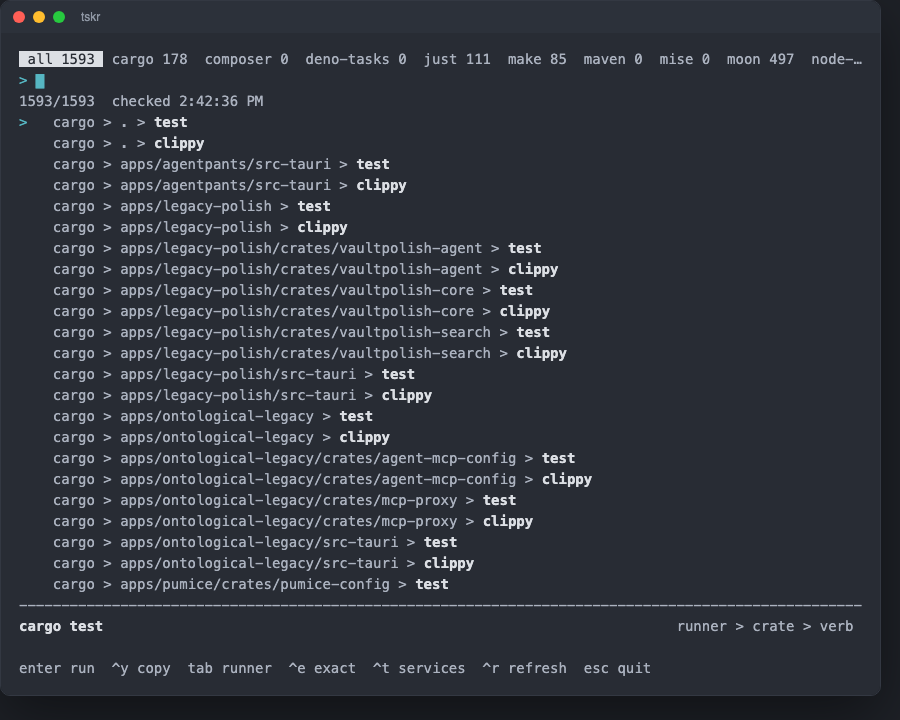
Every task in one searchable list. Type to filter, Enter runs the
selected task and hands it this terminal, Ctrl+Y copies its command
instead.
A repository of any size runs its work through several tools at once — a build graph, a justfile, package.json scripts, a Makefile — and each answers only for itself. waypost puts all of them in one searchable list, keyed by the call chain you would actually type, and — unlike anything a browser can do — lets you press Enter.
bun add -g @sksizer/waypostThat installs two binaries pointing at the same tool: way,
the short one to type, and waypost, the full one for when
something else on your PATH already answers to way.
wayopens the terminal UI. waypost needs Bun:
the web view runs on Bun.serve, and a Node entry point would give you a
terminal UI that works and a --serve that crashes.
The terminal UI
Every task in one searchable list. Type to filter, Enter runs the
selected task and hands it this terminal, Ctrl+Y copies its command
instead.
The web view
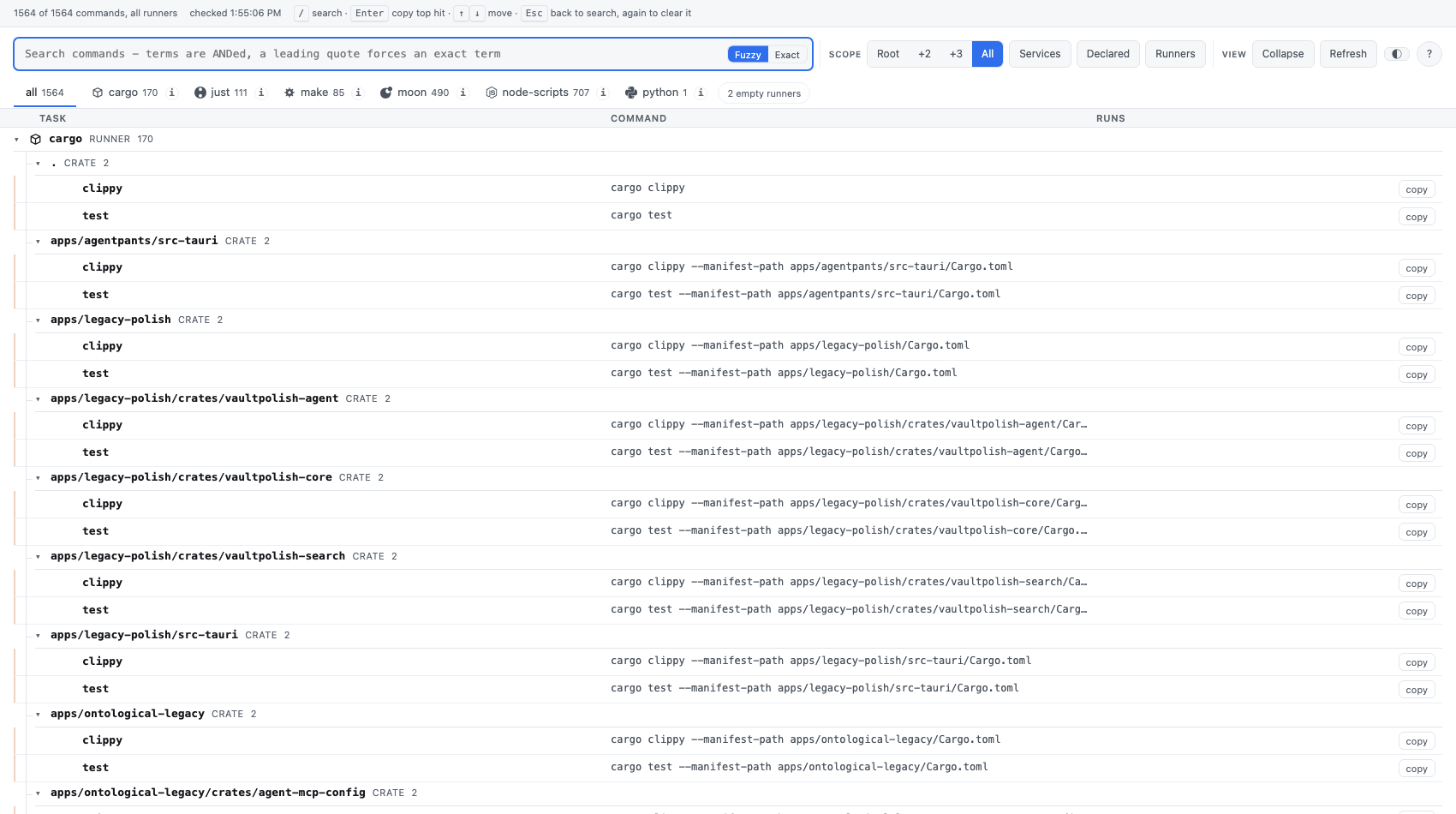
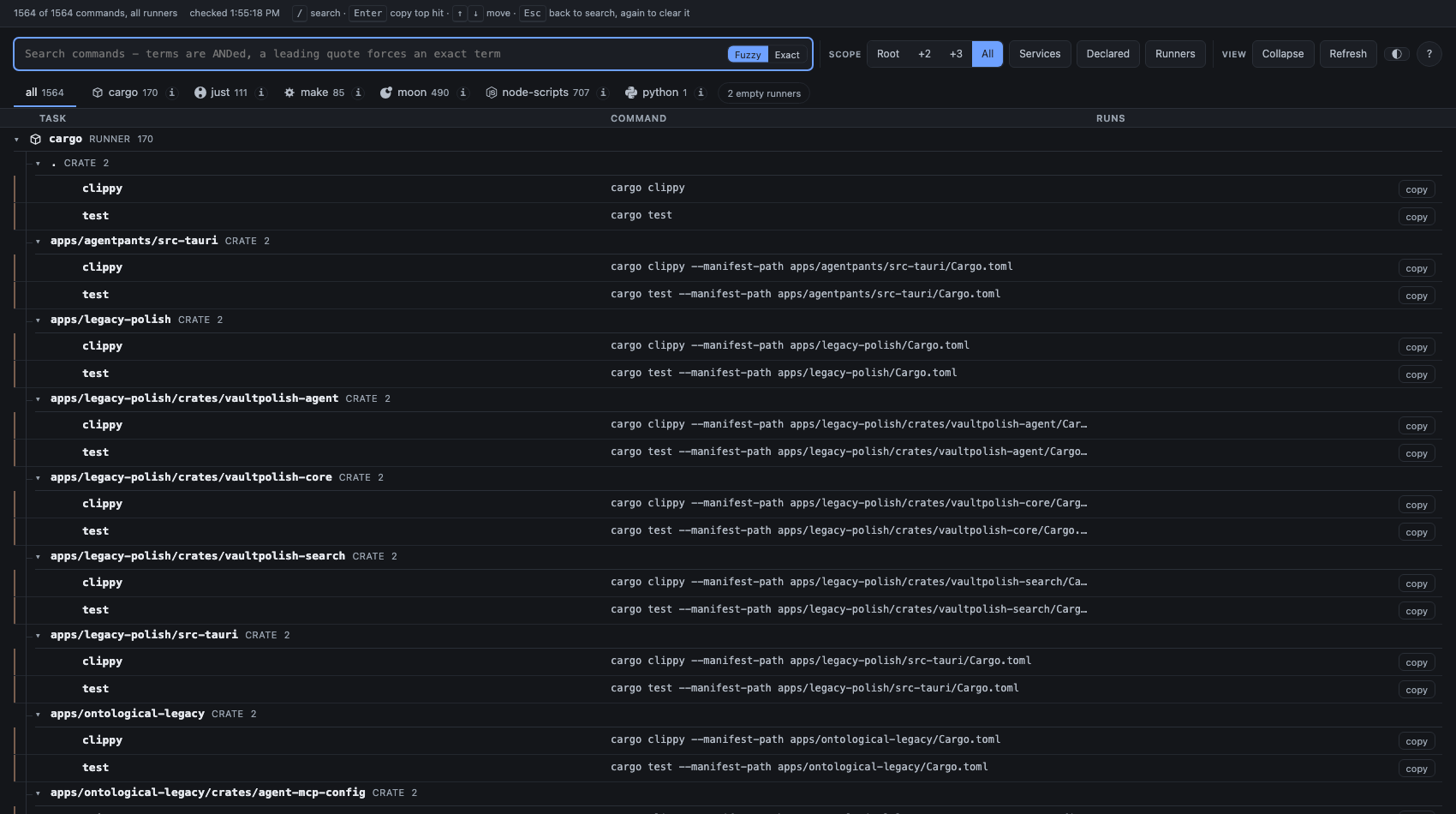
way —serve opens a page with the same catalog: a
collapsible tree by call chain, sticky group headers, and copy buttons
on every row. It appears instantly from the last stored probe and re-probes
behind you, saying which rows are which.
The library API
Built on @sksizer/detect-runners,
which does the finding. collect() returns the same catalog
waypost shows, for anything else you want to build on it.
Execution is opt-in: some of these can only be read by asking them to run
(moon query tasks evaluates the repository’s own toolchain configuration),
so only runners that can be read without running anything work by default.
waypost defaults to being willing to run them, since you are
usually standing in your own repository, but willingness is not permission:
nothing runs until you have trusted the repository once, or passed --exec
for a single run — see Trust & execution and
Configuration.